Most job search automation is sold on a single promise: apply to more jobs, faster. That promise is already kept. Auto-apply works, volume is cheap, and for senior candidates it stopped being the bottleneck a while ago.
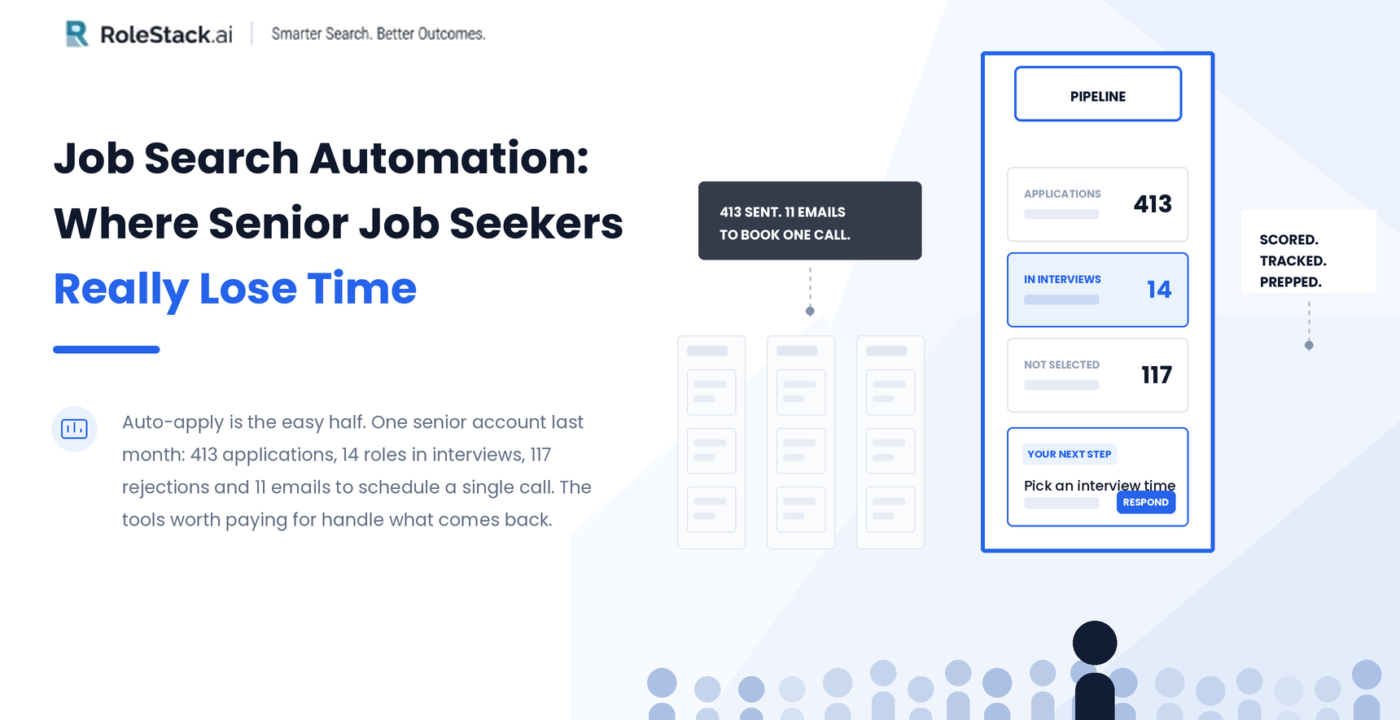
Here is what one RoleStack member’s account looked like over a single month: 413 applications sent, 14 roles in live interview conversations, 117 rejections logged and closed. The number that explains the real workload isn’t any of those. It is 11, the number of emails it took to get one interview onto a calendar.
Scheduling link, confirmation, reschedule, a new link, another confirmation, a follow-up. One conversation, one company, while four other companies were mid-process and a full-time job carried on in the background.
That is the part job search automation is usually silent about. This guide breaks down what a job search tool should handle after the application goes out, and gives you a six-point checklist for judging any tool on the market.
Why applying is no longer the slow part of a job search
Once applications are automated, volume is a solved problem. The member above was on a 200-applications-per-month plan and sent 413, because strong matches kept appearing and there was no reason to stop.
What volume creates is state. Which applications are waiting on a reply? Which are waiting on you? Which resume version did each company receive? Did that recruiter email ever get answered?
None of it is difficult. It is simply endless, and it lands in the evening, after work, when patience is lowest. This is the hidden cost of a modern job search, and it is where most candidates quietly burn out. Research on hiring consistently shows referred candidates convert at roughly 30% versus about 7% for cold applications, which is another way of saying that the energy you spend on admin is energy not spent on the conversations that actually convert.
So the real question is not “does this tool apply for me?” It is “what does this tool do with everything that comes back?”
What a job application tracker should show in one screen
A job application tracker earns its place when it answers five questions without a single click.
- Applied: applications already sent and awaiting a reply.
- In flight: matches queued to go out next, so a role can be pulled before it is submitted.
- Apply yourself: the roles that need you to hit submit personally.
- Interviews: every live conversation, with its current stage and last movement.
- Not selected: closed roles, filed away so the list stays honest without staying cluttered.
That last bucket matters more than people expect. 117 rejections is a lot of “no.” Seeing them counted in one place, rather than scattered through an inbox, is what keeps a job search from feeling like a black hole.
Two things separate a useful tracker from a decorative one. First, a job match score on every role, so fit against level, pay floor and location is visible before anything is opened. Second, a next step written in plain language: pick an interview time, reply to the recruiter, or the confirmed date if the interview is already booked. A tracker that shows status but never states the next action leaves the thinking to you.
Interview scheduling: why one interview takes eleven emails
The 11 emails in that Adobe thread came from two senders, over several days, carrying three different scheduling links, with two of them disagreeing about the time.
This is normal. Recruiting coordinators run on applicant tracking systems (Greenhouse, Ashby, Lever, Workday, SmartRecruiters) that fire confirmations and reschedules automatically, independently of the human being you are actually speaking to. Multiply that by five active processes and interview scheduling becomes a part-time job.
The fix is not a better inbox. It is a home for each role. Every email about a role should sit on that role’s page, summarised in one line, with the message that needs an answer pushed to the top and a button to answer it.
The same page should also answer the two questions candidates ask at 9:55am before a 10am call: which resume does this company have, and who exactly is on the call. Both are quick to answer by hand. Both are impossible to answer quickly when the answer lives in an inbox.
Job match scores: a number without reasons is useless
Plenty of AI job search tools score a role. Far fewer show their work.
A match score of 88 on its own is trivia. A match score of 88 with three reasons drawn from a real career history, 15+ years building products from 0-to-1, ownership of an AI SaaS platform end to end, persona research feeding strategy, is something a candidate can say out loud in an interview.
The more valuable half runs the other way. A good tool names the gap before an interviewer does. On the Cigna product role in that account, the flag was industry: the candidate’s background is energy, not healthcare. The suggested move was to lead with AI-first product leadership rather than hope the domain gap goes unmentioned. That belongs in the cover letter, not in a post-rejection review.
Tailored resumes for every job application
Tailoring a resume to each job is standard advice, and it is standard because applicant tracking systems reward specificity. Automation does not remove the requirement. It only changes who does the work.
Two things to look for. The resume sent to each company should be built for that specific job description rather than a general-purpose PDF. And the exact version sent should stay visible on the role, so it can be reviewed before the interview instead of guessed at.
AI interview prep that is specific to the company
Generic interview prep is a list of fifty questions everyone already expects.
Useful AI interview prep is narrower:
- Questions written for this role at this company, flagged when they have actually come up in interviews.
- A short company briefing, so background research isn’t a separate evening.
- Draft answers built from your own experience rather than a template, structured the way interviewers listen: the situation, the action taken, the outcome.
Those drafts are not scripts. Rewriting them in your own words is the preparation. What they remove is the blank page at 11pm before a 9am interview.
Manual job search vs tracker vs automation platform
| What you need | Manual (spreadsheet) | Job application tracker | Job search automation platform |
|---|---|---|---|
| Finding roles | You search daily | You paste in what you find | Roles surface and are scored for you |
| Applying | Every form by hand | Every form by hand | Applications sent for you |
| Resume tailoring | Manual per role | Manual per role | Tailored per application |
| Recruiter emails | Inbox | Inbox | Attached to each role |
| Next action | You decide | Status only | Stated in plain words |
| Interview prep | Separate research | Separate research | Role and company specific |
How to choose a job search automation tool: a 6-point checklist
None of this is unique to one product. Teal, Huntr and Careerflow each do parts of it well, and if one of them fits your workflow, use it. The standard matters more than the logo. Ask any tool:
- Does it show the full pipeline in one view, including closed roles?
- Does it state the next action in plain words, or only a status?
- Can an application be cancelled before it goes out?
- Does every message about a role live with that role?
- Does it explain the match score and name the gap before you apply?
- Is interview prep specific to the company and role, or a generic question bank?
A tool that answers yes to all six returns the same two things: evening hours, and enough context to walk into a call without scrambling.
The bottom line
413 applications is a vanity number. The 14 live conversations are the result, and they only stay manageable when nobody has to hand-track 14 email threads across an inbox.
Senior hiring is still decided by people in rooms. Everything before that is logistics, and logistics is what software should be carrying.
Ready to see it? RoleStack handles the applying, the tracking, the recruiter email and the prep in one place. See how it works at rolestack.ai.
FAQ
What is job search automation?
Job search automation is software that finds relevant roles, scores them against your experience and requirements, submits applications with a resume tailored to each job description, and then tracks everything that comes back, including recruiter emails, interview scheduling and preparation.
Does auto-applying to jobs actually work?
Volume is the easy part, and auto-apply handles it reliably. The difference in outcomes comes from what happens next: whether roles are matched to your level, pay floor and location before applying, whether the resume is tailored per application, and whether the tool manages the follow-up. In the account referenced here, 413 applications in one month produced 14 roles in live interview conversations and 117 rejections.
What is the best way to keep track of job applications and interviews?
Use a single pipeline view with distinct stages for applied, queued, waiting on you, interviewing and closed. Each role should carry its own page holding the resume that was sent, the recruiter contacts, the full email history and one clearly stated next action.
What is a job match score and is it reliable?
A job match score rates how closely a role fits your background and requirements, usually out of 100. A score is only reliable when the tool shows the reasons behind it, drawn from your actual experience, and names the gaps a hiring manager is likely to question.
Do tailored resumes still matter if applications are automated?
Yes. Applicant tracking systems reward resumes that match the job description, so automation changes who does the tailoring, not whether it is needed. You should also be able to see which resume version each company received before an interview.
How many interview rounds is normal?
Three to five rounds is typical for senior roles. Ask the recruiter how many rounds there are on the first call. A process running far beyond that is a signal about how the company makes decisions.
Sources
- RoleStack member account data, September 2026: one senior product management account (413 applications in a month, 14 roles in interviews, 117 not selected, 11 emails on a single interview thread).
- RoleStack product: applications dashboard, role pages, match scoring, tailored resumes and Interview Prep.
- rolestack.ai testimonials and plan details, September 2026.
- Referral vs cold application conversion rates, widely reported hiring benchmarks (approx. 30% vs 7%).